refer
1-Intro
1)-What is Ip-Adapter?
Ip-Adapter 是一个 Image 的 prompt adapter , 可以很容易的 plugged 到 diffusion-models .
- 是一个 图像理解的 适配器, 用于处理图像的提示 ;
- 可以直接 集成扩展模型, 而不用修改原有模型 ;
- 具有非常好的 复用性和兼容性 ;
- 可以与其他 适配器,例如
ControlNet协同工作 ;
2)-What’s Cross Attention
注意力机制是 Transformer 架构中的核心机制. 本质上就是加权求和,不同的注意力机制 往往在三个角度上区分,比如说权重的计算方式, 信息的来源,注意力的范围机制等等.
下面以核心的 Self-Attention 为例简单说明.
原理: 通过计算序列中每个位置和其他所有位置的关系, 来补充序列内部的长距离依赖关系, 而且 输入和输出都是同一个序列.
- 使用
QKV三个矩阵 - 通过
Q和K的电积计算注意力权重 - 最后用权重 对
V进行加权求和
CrossAttention 则是混合了2个不同的序列到一起, 这样就允许了模型在处理一个序列的时候关注另一个.
Q是来自一个序列,K,V在另外的序列中
Multi-Head Attention 则是允许模型同时从 不同的位置表示子空间关注信息, 想法是从多个角度去理解特征,增强模型的表达能力
- 将
QKV分别projection到多个子空间 ; - 每个子空间独立的计算
attention; - 最后 合并多个注意力的结果 ;
Causal/Masked Self-Attention : 通过掩码矩阵的方式去 仅仅只关注序列中的 前面位置, 挡住未来的信息. 一般用于生成任务.
因此:
Self-Attention: 处理序列的内部关系, 一般做单序列的任务Cross-Attention: 处理多序列 之间的关系, 可以和Self-Attention结合起来做一些 序列的转换任务Multi-Head Attention: 提供了多个角度的特征提取Causal Attention: 确保了时序性和单向性
3)-why Ip-Adapter?
Ip-Adapter 背后的理念是一个解耦的 交叉注意力机制, 为图像特征加了一个独立的 Cross-Attention-Layer , 而不是 跟之前一样, 用一个 Cross-Attention-Layer 来处理文本和图像特征, 因此模型可以更好的理解 图像特征.
- 使用解耦的交叉注意力机制 ;
- 为图像特征单独设计注意力层 ;
- 区别于传统的文本和图像共用 注意力层的方式 ;
- 这种设计 更好的学习图像特征 ;
4)-How to load Ip-Adapter?
了解如何加载 Ip-Adapter, 确保查看了 Ip-Adapter-Plus 部分,这部分需要手动加载 图像编码器.
5)-General Tasks
- 这里选择用
Diffusers, 而不是使用comfyui和a1111去体验Ip-Adapter的能力 ; - 由于是用来帮助理解 图片
Prompt的,所以可以很方便的 处理所有相关的任务 ;
from diffusers import AutoPipelineForText2Image
from diffusers.utils import load_image
import torch

pipeline = AutoPipelineForText2Image.from_pretrained("stabilityai/stable-diffusion-xl-base-1.0", torch_dtype=torch.float16).to("cuda")
pipeline.load_ip_adapter("h94/IP-Adapter", subfolder="sdxl_models", weight_name="ip-adapter_sdxl.bin")
pipeline.set_ip_adapter_scale(0.6)
Create a text prompt and load an image prompt before passing them to the pipeline to generate an image.
image = load_image("https://huggingface.co/datasets/huggingface/documentation-images/resolve/main/diffusers/ip_adapter_diner.png")
generator = torch.Generator(device="cpu").manual_seed(0)
images = pipeline(
    prompt="a polar bear sitting in a chair drinking a milkshake",
    ip_adapter_image=image,
    negative_prompt="deformed, ugly, wrong proportion, low res, bad anatomy, worst quality, low quality",
    num_inference_steps=100,
    generator=generator,
).images
images[0]
6)-Ip-Adapter marking
可以让你精确控制不同参考图片对最终生成图片的影响区域.
pipeline.load_ip_adapter("h94/IP-Adapter", subfolder="sdxl_models", weight_name=["ip-adapter-plus-face_sdxl_vit-h.safetensors"])
pipeline.set_ip_adapter_scale([[0.7, 0.7]])  # one scale for each image-mask pair


face_image1 = load_image("https://huggingface.co/datasets/huggingface/documentation-images/resolve/main/diffusers/ip_mask_girl1.png")
face_image2 = load_image("https://huggingface.co/datasets/huggingface/documentation-images/resolve/main/diffusers/ip_mask_girl2.png")

ip_images = [[face_image1, face_image2]]
masks = [masks.reshape(1, masks.shape[0], masks.shape[2], masks.shape[3])]
2-例子1:Two girls
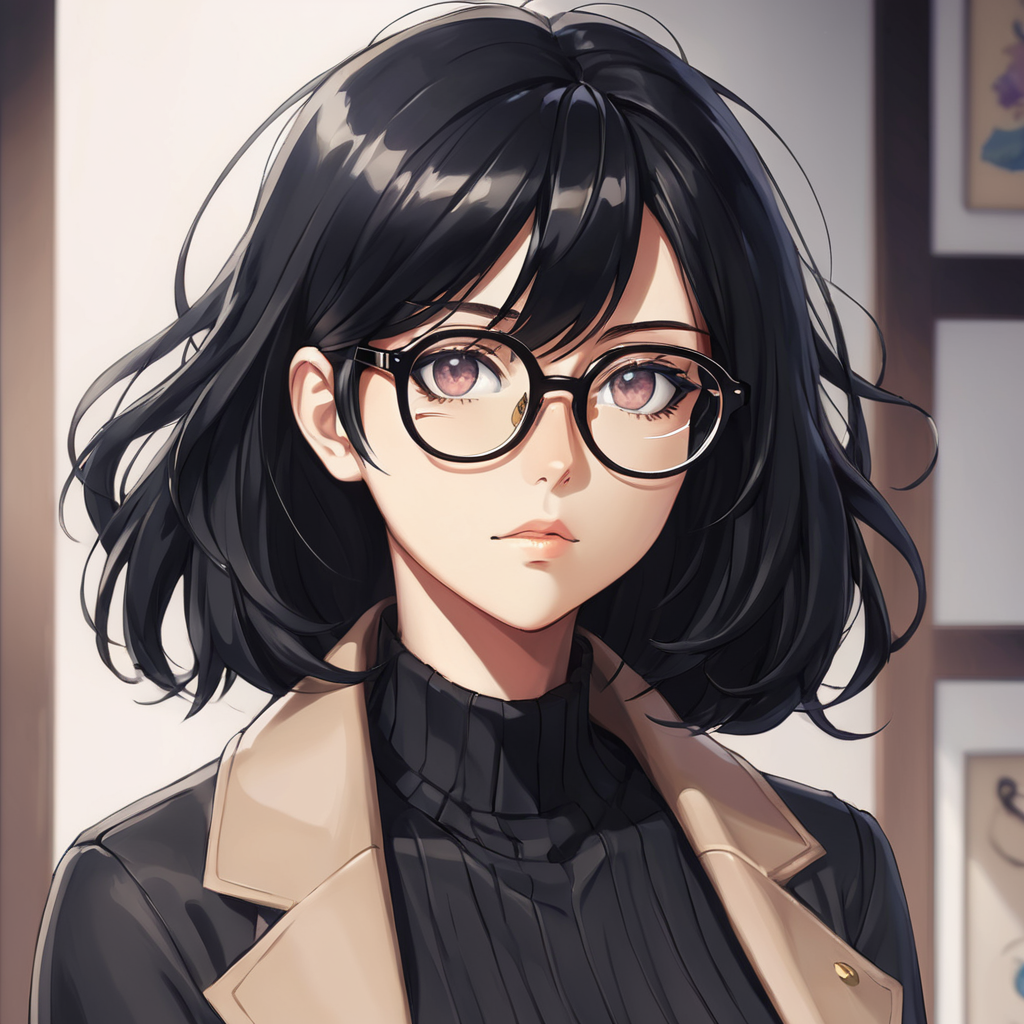
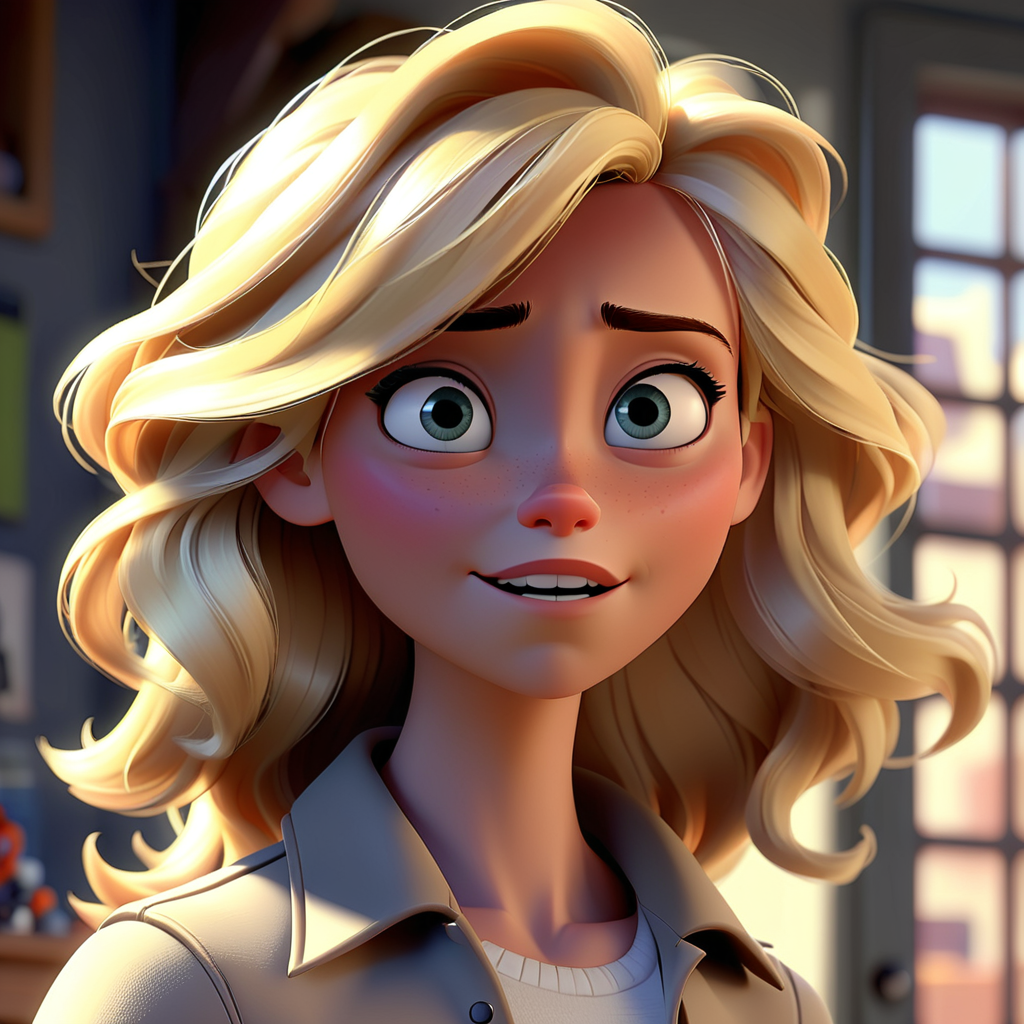
generator = torch.Generator(device="cpu").manual_seed(0)
num_images = 1

image = pipeline(
    prompt="2 girls",
    ip_adapter_image=ip_images,
    negative_prompt="monochrome, lowres, bad anatomy, worst quality, low quality",
    num_inference_steps=20,
    num_images_per_prompt=num_images,
    generator=generator,
    cross_attention_kwargs={"ip_adapter_masks": masks}
).images[0]
image
用文本 2 girls 把2张图片融合
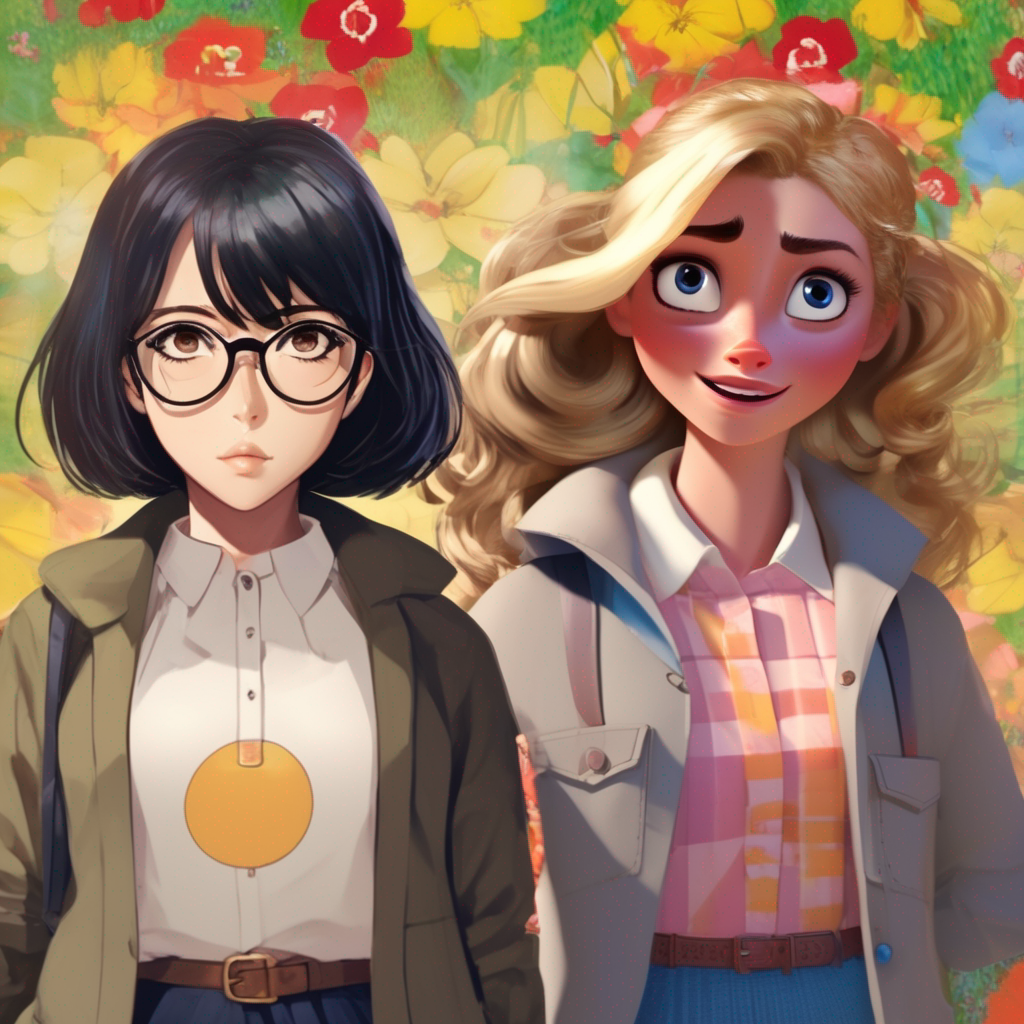
3-例子2: multiple ip-adapter
import logging

import numpy as np
import torch
from PIL import Image
from diffusers import StableDiffusionXLPipeline, AutoencoderKL
from diffusers.utils import load_image
from transformers import CLIPVisionModelWithProjection

from utils.image_utils import show_img

logging.basicConfig(level=logging.INFO)
logger = logging.getLogger(__name__)


def preprocess_image(image_path, target_size=(1024, 1024)):
    """预处理图像到指定尺寸"""
    try:
        image = load_image(image_path)
        # logger.info(f"Original image size: {image.size}")
        #
        # if image.mode != "RGB":
        #     image = image.convert("RGB")
        #
        # image = image.resize(target_size, Image.Resampling.LANCZOS)
        # logger.info(f"Processed image size: {image.size}")
        return image

    except Exception as e:
        logger.error(f"Error processing image: {e}")
        raise


def main():
    try:

        image_encoder = CLIPVisionModelWithProjection.from_pretrained(
            "h94/IP-Adapter",
            subfolder="models/image_encoder",
            torch_dtype=torch.float16,
        )

        # 1. 加载VAE(可选,用于提高质量)
        logger.info("Loading VAE...")
        vae = AutoencoderKL.from_pretrained(
            "madebyollin/sdxl-vae-fp16-fix",
            torch_dtype=torch.float16
        )

        # 2. 加载模型
        logger.info("Loading pipeline...")
        pipeline = StableDiffusionXLPipeline.from_single_file(
            pretrained_model_link_or_path="/home/carl/storage/sd/models/checkpoints/sd_xl_base_1.0.safetensors",
            torch_dtype=torch.float16,
            safety_checker=None,
            vae=vae,
            image_encoder=image_encoder,
        ).to("cuda")

        # 4. 加载正确版本的 IP-Adapter
        logger.info("Loading IP-Adapter...")
        pipeline.load_ip_adapter(
            "h94/IP-Adapter",
            subfolder="sdxl_models",
            weight_name=["ip-adapter-plus_sdxl_vit-h.safetensors", "ip-adapter-plus_sdxl_vit-h.safetensors"],
        )

        # 3. 预处理图像
        logger.info("Processing images...")
        pet_image = preprocess_image("/home/carl/storage/images/cat01.jpg")
        clothes_image = preprocess_image("/home/carl/storage/images/c1.jpg")

        # show_img(pet_image)
        # show_img(clothes_image)

        # 5. 生成图像
        logger.info("Generating image...")

        # 固定第一个值为0.8,测试第二个值从0.3到0.5
        second_scales = np.arange(0.3, 0.4, 0.02)
        for scale2 in second_scales:
            pipeline.set_ip_adapter_scale([0.8, scale2])  # 保持猫咪特征的同时突出围巾
            # 优化的提示词,专注于围巾
            prompt = """
                       a cute cat wearing a cozy scarf around its neck,
                       soft and warm scarf,
                       natural cat pose,
                       clear scarf details,
                       comfortable fit,
                       high quality photo, detailed
                       """

            # 负面提示词也针对围巾场景优化
            negative_prompt = """
                       deformed, distorted, unrealistic,
                       bad anatomy, twisted neck,
                       missing scarf, floating scarf,
                       uncomfortable, stressed cat
                       """
            # 使用较小的步数先测试
            images = pipeline(
                prompt=prompt,
                negative_prompt=negative_prompt,
                ip_adapter_image=[pet_image, clothes_image],
                num_inference_steps=30,  # 减少步数先测试
                guidance_scale=7.5,
            ).images

            # 6. 显示结果
            logger.info(f"Showing generated image...:${scale2}")
            # images[0].save("output.png")  # 保存生成的图像
            show_img(images[0])

    except Exception as e:
        logger.error(f"Error in main: {e}")
        raise


if __name__ == "__main__":
    main()